

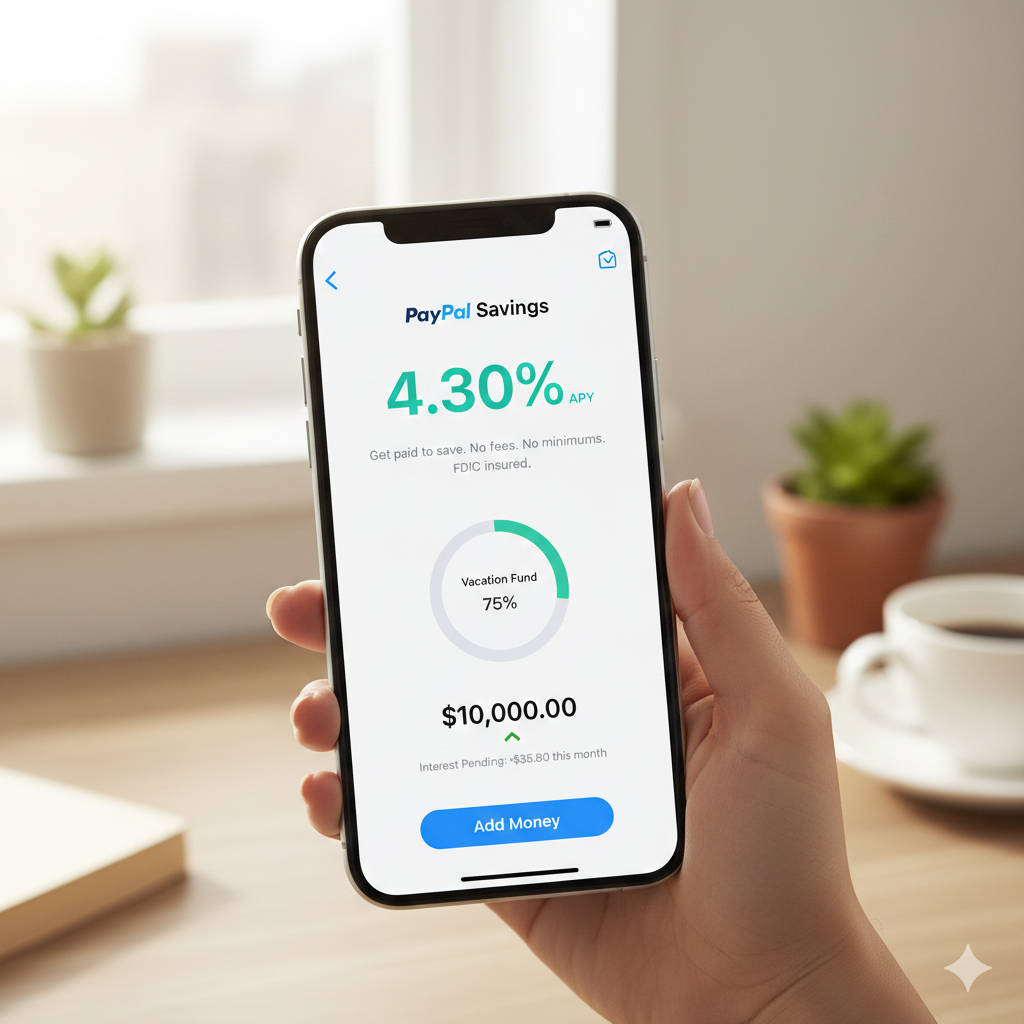
Make Passive Money by Saving with PayPal
In the evolving landscape of digital finance, keeping your money stagnant in a traditional checking account is a missed opportunity. While many associate PayPal primarily with online shopping and peer-to-peer payments, the platform has transformed into a robust financial hub. One of its standout features in 2026 is PayPal Savings, a high-yield account that allows you to earn a competitive 4.30% APY on your idle cash.
In this guide, we will break down exactly how to transition from a simple PayPal user to a savvy saver, ensuring your money works as hard as you do.
1. Understanding the Ecosystem: PayPal Balance vs. PayPal Savings
Before diving into the interest rates, it is crucial to understand where your money lives within the app. Many users confuse their PayPal Balance with PayPal Savings, but they serve very different purposes.
PayPal Balance (The “Spending” Wallet)
Think of your PayPal Balance as your digital wallet or a traditional checking account. When someone sends you money or you receive a refund, it lands here. While convenient for quick purchases or sending money to friends, the PayPal Balance typically earns 0% interest. Keeping large sums here means you are effectively losing value to inflation every day.
PayPal Savings (The “Earning” Vault)
PayPal Savings is a separate, interest-bearing account provided through a partnership with Synchrony Bank, Member FDIC. By moving money from your Balance into Savings, you unlock the high-yield APY (currently 4.30%).
-
Safety: Your funds are FDIC-insured up to $250,000 through Synchrony Bank.
-
Accessibility: You can move money back and forth between Savings and Balance almost instantly, making it highly liquid.
Supported Countries
As of 2026, PayPal Savings is primarily available to PayPal personal account holders in the United States. While PayPal operates in over 200 countries, the high-yield savings feature is subject to specific banking regulations and is currently localized to the U.S. market. If you are outside the U.S., you can still use the PayPal Balance for transactions, but you may not see the “Savings” tab in your app.
2. Key Features of PayPal Savings
Why choose PayPal over a traditional brick-and-mortar bank? The advantages go beyond just the high interest rate.
No Fees and No Minimums
One of the biggest barriers to saving is the “fine print.” PayPal Savings removes these hurdles:
-
$0 Minimum Balance: Whether you have $1 or $10,000, you earn the same high APY.
-
$0 Monthly Fees: There are no maintenance fees or “inactivity” penalties.
-
Automatic Compounding: Interest is compounded daily and paid out monthly, meaning you earn interest on your interest.
Goal-Based Saving
PayPal allows you to create specific Savings Goals within the account. Whether you are saving for a vacation, a new car, or an emergency fund, you can visualize your progress and set up automated transfers to reach those targets faster.
3. Step-by-Step: How to Set Up and Start Earning
Setting up the account takes less than two minutes. Follow this workflow to get started:
Step 1: Navigate to Savings
Open your PayPal app. On the home screen, scroll the dashboard (usually to the right) until you see the PayPal Savings tile. Tap on it to begin.
Step 2: Review and Agree
PayPal will show you a splash screen detailing the current APY (4.30%). It will also mention the partnership with Synchrony Bank. Tap “Start Saving” and agree to the terms and conditions.
Step 3: Fund Your Account
You will be asked how much you want to add. You can pull funds directly from your PayPal Balance or a linked Bank Account.
-
Pro Tip: If you have money sitting in your Balance, move it immediately. As shown in our example, $100 in your balance earns nothing; $100 in Savings earns you “free money” every month.
Step 4: Set a Schedule
You can choose a one-time transfer or set up a recurring deposit. Automating your savings (e.g., $50 every Friday) is the most effective way to build wealth without thinking about it.
4. The Math: How 4.30% APY Compounds
To understand the power of this account, look at the math. APY stands for Annual Percentage Yield, which includes the effect of compounding interest.
If you deposit $5,000 and don’t add another cent, at a 4.30% APY:
-
After 1 Year: You would have approximately $5,215.
-
Monthly Payout: You would see roughly $17.90 added to your account every month just for letting your money sit there.
While $17 might seem small, it covers a streaming subscription or a couple of coffees—all for doing zero work. If you scale that to a $20,000 emergency fund, you’re looking at nearly $72 per month in passive income.
5. Managing Your Money: Transfers and Withdrawals
Liquidity is key. If an emergency arises, you need your cash fast.
-
Savings to Balance: Transfers from your PayPal Savings back to your PayPal Balance are typically instant.
-
Savings to External Bank: If you want to move money to an outside bank (like Chase or Bank of America), you first transfer it to your PayPal Balance, then “Transfer Out” to your linked bank. This usually takes 1–3 business days (Standard) or minutes (Instant Transfer for a small fee).
6. Final Verdict: Is It Worth It?
If you already use PayPal for business or personal transactions, the PayPal Savings account is a no-brainer. It offers a top-tier interest rate that rivals most dedicated High-Yield Savings Accounts (HYSAs) from online banks like Ally or Marcus by Goldman Sachs.
The Pros:
-
Extremely high APY (4.30%).
-
FDIC Insured.
-
Seamless integration with the PayPal app.
-
No “hoops” to jump through (no minimum spend or direct deposit requirements).
The Cons:
-
Only available in the U.S.
-
No physical branches for cash deposits.
