

The traditional paper business card is quickly becoming a relic of the past. We’ve all been there: you hand out a beautiful card, only for it to end up in a trash can or at the bottom of a laundry basket. Enter digital business cards.
A digital business card is a smart, contactless way to share your professional identity. Using NFC (Near Field Communication) technology—the same tech behind Apple Pay—and integrated QR codes, these cards allow you to beam your contact details, social links, and portfolio directly into someone else’s phone with a simple tap. No apps, no typing, and most importantly, no paper waste.
In this review, we’re diving deep into Mobilo Card, one of the industry leaders, to see if it’s the right tool to upgrade your networking game this year.
How Does Mobilo Card Work?
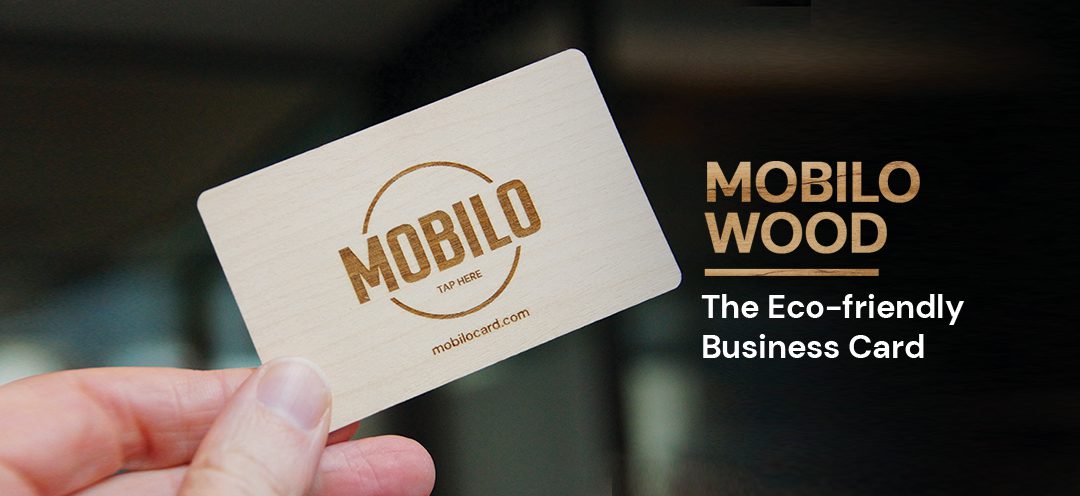
Mobilo is designed to be the “last business card you’ll ever buy.” It works through a physical card (available in plastic, wood, or metal) that contains an NFC chip.
-
The Tap: You tap your Mobilo card on the back of any modern smartphone.
-
The Action: A notification pops up on their screen. When they click it, your info is right there.
-
The Follow-up: They can save your contact details directly to their address book instantly.
If the other person has an older phone without NFC, they can simply scan the personalized QR code printed on the back of your card.
Key Features: More Than Just a Digital Contact
What sets Mobilo apart from “digital-only” apps is its versatility. Within the Mobilo dashboard, you can switch between four distinct modes in real-time:
-
Business Card Mode: Shares your contact info directly. Perfect for standard introductions.
-
Landing Page Mode: Directs people to a customizable profile featuring your bio, links, and social media buttons.
-
Lead Generation Mode: A game-changer for sales reps. This mode prompts the other person to fill in their info, which is then sent directly to you.
-
Link to URL Mode: Sends people straight to a specific website, YouTube video, or promotional campaign.
Pro Tip: For power users, Mobilo integrates with CRMs like Salesforce and HubSpot, meaning your new leads are automatically synced to your sales pipeline.
Pricing: A One-Time Investment
Unlike many digital tools that trap you in a monthly subscription, Mobilo offers a “buy it once, use it forever” model for its core features.
| Card Type | Price (Starting at) | Best For |
| Mobilo Branded (Plastic) | $10 | Budget-conscious beginners |
| Custom Branded (Plastic) | $19.50 | Solo entrepreneurs & small brands |
| Wood Card | $50 | Eco-conscious & premium feel |
| Metal Card | Custom | High-end luxury networking |
Note: Enterprise pricing and bulk discounts are available for large teams.
The Real-World Verdict: Pros & Cons
Based on user experiences and our testing, here is the breakdown of the Mobilo experience:
The Pros
-
Cost Efficiency: A friend who introduced me to them saved nearly $2,100 a year by switching from paper to digital cards.
-
Dynamic Updates: If you change your phone number or job title, you update it in the app. You don’t need to throw away your cards.
-
Professional Edge: It creates an immediate “wow” factor during meetings and conferences.
-
No App Required: The person receiving your info doesn’t need to install anything.
The Cons
-
The “NFC Awkwardness”: Occasionally, you’ll encounter someone who doesn’t know how to use NFC, requiring you to explain the “tap” or use the QR code.
-
Template Limits: Some users feel the design templates for the landing pages are a bit rigid compared to building a custom site.
-
Learning Curve: While simple, switching between modes and setting up CRM integrations requires a bit of “tech-savviness.”
Is Mobilo Card Worth It?
Yes. If you are a professional who attends at least one networking event a month, the $10–$20 investment pays for itself almost immediately. Between the environmental benefits and the lead-generation power, it is a significant upgrade over paper.
Mobilo isn’t just a card; it’s a bridge between a physical handshake and a digital database. While there’s a slight learning curve for your “non-techy” contacts, the efficiency of having your info saved directly into a client’s phone is unbeatable.
